Dubsado Review 2026: Is It Worth It?
We spent a full client cycle inside Dubsado's 21-day trial: built a welcome workflow in Flows, sent a real proposal with contract and payment plan, tested the scheduler, and compared its pricing and automation depth against HoneyBook and Moxie. Here's what we found — including who should skip it.
The deepest workflow automation in the freelancer CRM category. Dubsado's Flows builder automates the entire client journey — inquiry to final payment — with a level of control HoneyBook and Moxie don't match.
Choose it if you run a repeatable client process and want it on rails. Skip it if you want cheap and simple — or if you're not willing to spend a week learning it.
Dubsado Pros & Cons
- Flows automation is in a class of its own — multi-step triggers across the whole client lifecycle
- Unlimited clients and projects on every plan, including the cheapest tier
- One-link proposals: contract, invoice and payment plan in a single sign-able page
- Branding control others don't offer — custom CSS, custom domain, client portals
- 3 team seats included free; extra brands at $10/mo each
- 21-day trial with full Premier access, no credit card
- Steep learning curve — expect 1-2 weeks of setup before it pays off
- The features that justify the price (Flows, scheduling) are Premier-only at $55/mo
- No permanent free plan; legacy 3-client tier closed to new signups
- No native bookkeeping — QuickBooks integration lives on Premier
- Not a sales CRM: no prospecting or outbound pipeline tools at all
Our Score: 7.7 / 10
Weighted breakdown
Automation and feature depth carry the score; ease of use and the learning curve drag it back down. That trade-off is the whole product in one sentence: Dubsado is powerful precisely because it asks you to configure everything yourself.
What Is Dubsado?
Dubsado is a client management platform for service-based small businesses — photographers, wedding planners, designers, coaches, virtual assistants, copywriters — founded in 2015 by Jake and Becca Berg and still self-funded today. Over 120,000 business owners have used it, with around 30,000 current paying customers. The Dubsado 3.0 rebuild launched in late 2025 modernized the onboarding without removing the platform's flexibility.
It covers the post-inquiry client journey: proposals, contracts with e-signatures, invoicing and payment plans, schedulers, forms, branded client portals, and the Flows automation builder that ties them together. What it deliberately doesn't cover is sales: there's no prospecting database or outbound pipeline. If you need to hunt leads, that's a different tool — Dubsado starts once a lead raises their hand.
Features We Tested
1. Flows — the automation engine (Premier)
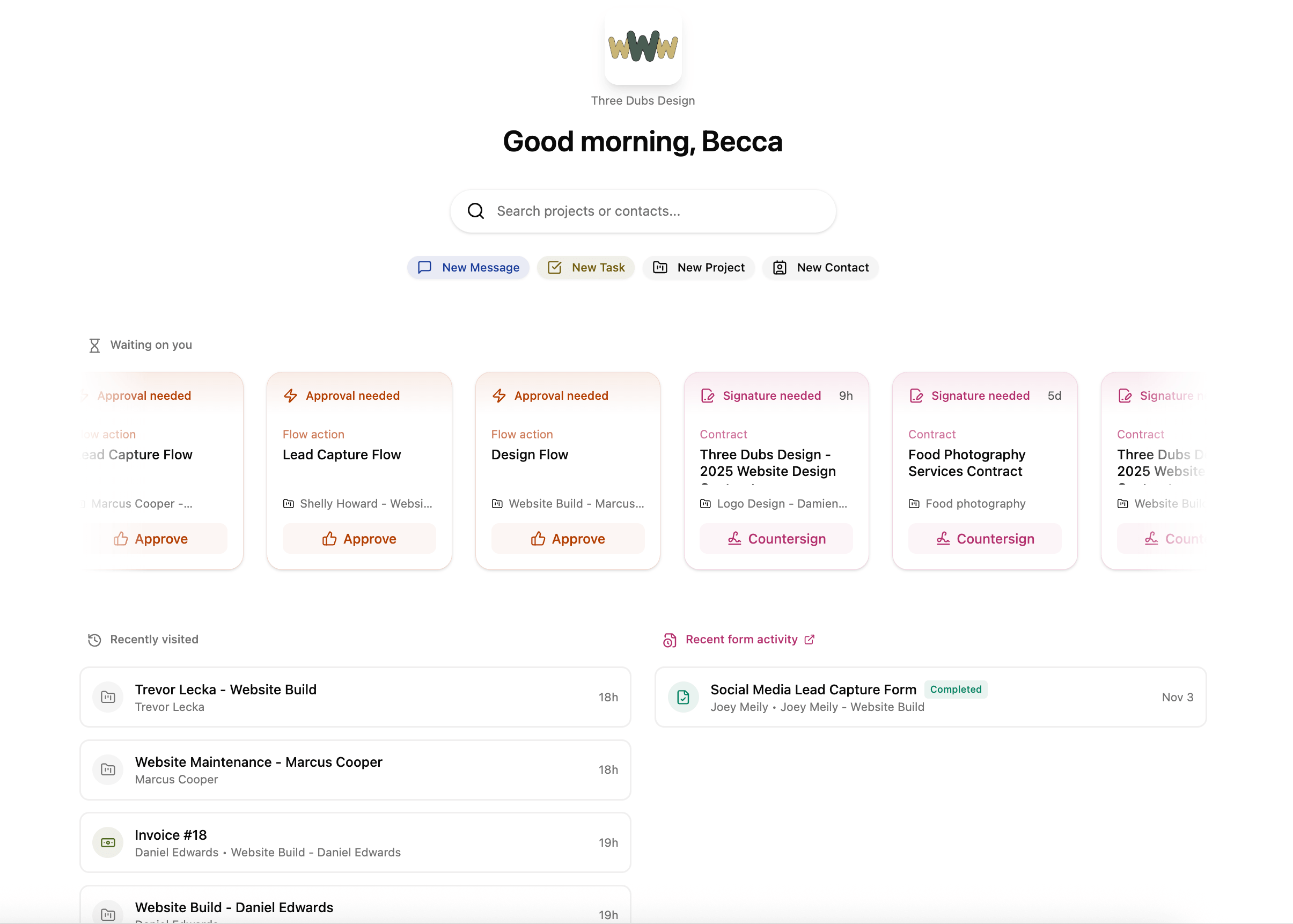
This is why people buy Dubsado. A Flow is a chain of triggers and actions: when a client signs the contract, send the welcome email, create the deposit invoice, schedule the kickoff call, assign yourself a prep task — all without touching anything. Triggers fire on form submissions, contract signing, payments received, appointments booked and more, and the actions chain as deep as your process needs.
In testing, we rebuilt a standard "new client welcome" sequence in about 90 minutes, including the email templates. After that, every test client who signed a contract received the full onboarding sequence automatically. Users in Dubsado's own testimonials report reclaiming 5-10 admin hours per week — believable once your Flow is live, because the sequence genuinely never forgets a step.
2. One-link proposals, contracts & invoicing
The proposal builder is the best client-facing document engine we've tested in this category. A proposal can carry the contract, the invoice and a payment plan in a single link: the client reads your pitch, ticks their package, signs and pays without ever leaving the page. E-signatures are legally binding, smart fields auto-populate client name, dates and totals everywhere, and every document is fully branded.
Invoicing handles line items, packages, discounts, recurring invoices, autopay and scheduled payment plans. Payment collection runs through Dubsado Payments (powered by Stripe) with cards, ACH bank transfer, buy-now-pay-later options and Tap to Pay, plus PayPal and Square integrations. Clients can pay straight from the email link — no portal login forced on them.
3. Client portals & branding control
Every plan includes password-protected client portals, and the branding depth is unusual: custom colors and logos everywhere, optional CSS for fully bespoke forms, and custom domain connection so clients see your domain rather than Dubsado's. Multi-business operators can run separate brands under one account at $10/month per additional brand, each with its own templates and email settings. For studios that present a polished face to clients, this is the layer that justifies the subscription.
4. Scheduling, email & the newer AI touches
Premier's scheduling templates handle availability windows, two-way calendar sync and automated reminders — solid, standard stuff. Email integration covers Gmail and Outlook/Microsoft 365 with canned templates. The 3.0-era additions are more interesting: AI-generated email thread summaries, a meeting notetaker that records calls and produces transcripts and summaries, and universal search across projects, clients and documents. Reporting covers income and expenses, profit-and-loss, and lead conversion; QuickBooks Online sync lives on Premier.
Dubsado Pricing
- $335/yr annual (≈ $28/mo)
- Unlimited clients, projects, invoices
- Proposals, contracts, forms, portals
- 1 active lead capture form
- No Flows, scheduling or Zapier
- $525/yr annual (≈ $44/mo)
- Everything in Starter, plus:
- Flows automations + scheduling
- Unlimited lead capture + public proposals
- QuickBooks Online + Zapier integrations
Annual billing saves two months' worth on either plan. Our advice: run the 21-day trial on Premier's feature set, and if you decide to stay, start monthly for a month or two before committing to the year.
Hidden costs to know: payment processing fees apply on top of the subscription (standard Stripe, PayPal or Square rates depending on your processor); additional brands cost $10/mo each; and while 3 extra team seats are free, going beyond them is tiered — $25/mo for users 4-10, $45/mo for 11-20, $60/mo for 21-30.
Who It's For (and Who Should Skip It)
Buy it if you are:
- A photographer, planner, designer or coach with a repeatable client process you're sick of running by hand
- Automation-hungry — you want multi-step workflows, not canned one-size templates
- Brand-proud — client-facing documents must look like your business, down to CSS and custom domain
- A small team or multi-brand operator — 3 free seats and $10/mo extra brands beat most rivals' per-seat pricing
Skip it if you are:
- A solo freelancer who wants simple — Moxie starts around $12/mo with far less setup
- Allergic to setup work — expect a 1-2 week build before Dubsado pays for itself
- Looking for a sales CRM — there's no prospecting or outbound pipeline here
- Wanting bookkeeping built in — 17hats includes it; Dubsado integrates with QuickBooks instead
Dubsado vs the Alternatives
| Feature | Dubsado | HoneyBook | Moxie |
|---|---|---|---|
| Starting price | $35/mo Starter | ~$36/mo | ~$12/mo |
| Free trial | ✓ 21 days, full Premier | ~ 6 days | ~ 14 days |
| Multi-step workflow automation | ✓ Flows (Premier) | ~ Lighter | ~ Basic |
| Branded portals + custom CSS/domain | ✓ Yes | ~ Templates | ~ Basic |
| Extra team seats | ✓ 3 free | ✕ Paid add-on | ✕ Paid add-on |
| Setup experience | ~ 1-2 week build | ✓ Guided, fast | ✓ Simple |
Considering a switch?
The guided alternative: templated setup, lighter automations, live in days instead of weeks. Priced similarly to Dubsado.
The budget pick for solo freelancers — projects, time tracking, invoicing and basic CRM at a fraction of the price.
The all-in-one with built-in bookkeeping — trades Dubsado's automation depth for one tool that also does your accounts.
Frequently Asked Questions
Does Dubsado have a free plan?
No — not for new signups. You get a 21-day trial with full Premier access and no credit card; after it ends, client-facing actions (payments, form submissions, contract signing, booking) are blocked until you subscribe, but your data stays put. Veterans remember the old free tier capped at 3 clients — that's now a legacy arrangement for existing accounts.
What's the difference between Starter and Premier?
Starter ($35/mo, $335/yr) handles unlimited clients, proposals, contracts, invoicing, forms, portals and calendar sync. Premier ($55/mo, $525/yr) adds Flows automations, scheduling, public proposals, unlimited lead capture forms, QuickBooks Online and Zapier. Most service businesses end up on Premier — Flows is the point of the product.
Dubsado vs HoneyBook — which is better?
Dubsado if you want deep, multi-step automation and full branding control, or run multiple brands with a small team. HoneyBook if you want guided setup and to be running within days. Similar entry price, very different philosophy: Dubsado adapts to your process, HoneyBook gives you a proven one.
Is Dubsado good for photographers?
Yes — photographers are one of its core user bases. It's cross-industry though, so gallery delivery and print sales aren't included: pair it with Pic-Time, Pixieset or Cloudspot, or choose Táve or Sprout Studio if you want galleries built into the CRM itself.
Can clients pay invoices without logging in?
Yes. Proposals, contracts and invoices go out as email links clients can view, sign and pay directly — the branded portal exists but isn't a forced step. Cards, ACH, buy-now-pay-later, PayPal and Square are all supported depending on your processor setup.
Does Dubsado replace accounting software?
Not fully. It tracks income and expenses, and reports profit-and-loss and lead conversion, but there's no real double-entry bookkeeping. Premier integrates with QuickBooks Online; if built-in bookkeeping is the priority, look at 17hats instead.
Final Verdict
Dubsado earns its 7.7 by doing one thing better than anyone in the freelancer CRM category: automating a real, messy, multi-step client process instead of a sanitized ideal one. The cost of that power is a genuine learning curve and a $55/mo Premier subscription for the features that matter — which is why it scores 9.0 on automation and 6.5 on ease of use in the same breath.
Our advice: take the 21-day trial seriously. It runs full Premier with no credit card — long enough to build one real workflow for one real client type. If you finish the build and feel the relief, subscribe. If you finish it annoyed at the configurability, you've learned you're a HoneyBook or Moxie person, and the trial cost you nothing.